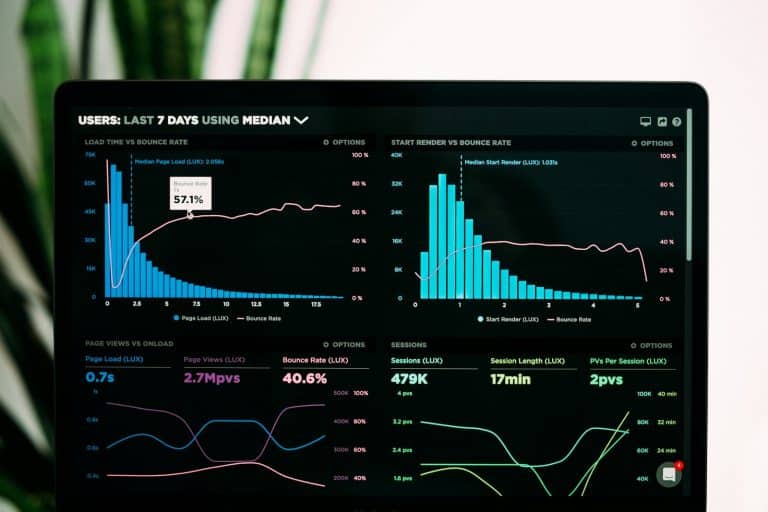
Quick answer: Web analytics services collect, measure and report how people find, use and leave your website. A good provider sets up tools such as Google Analytics 4 (GA4) and Google Tag Manager, tracks key events and conversions, and turns the data into dashboards and recommendations that raise conversions and cut wasted marketing spend.
Ever wondered how people think when they browse your website, and why many leave before making a purchase? In a competitive digital market, guessing what works online is like driving blindfolded. If you want to understand your audience and grow your business, it is time to use web analytics services to see what is really happening with your traffic.
Every click, scroll and download on your site tells a story. Without the right web analytics tools and strategy, that story stays hidden. In this guide you will learn how web analytics works, which metrics matter, which tools to choose and how to use the data to scale your business.
What Is Web Analytics?
Web analytics is the collection, measurement, analysis and reporting of website data to understand visitor behaviour and improve website performance. The goal is not to gather huge piles of statistics, but to learn how online visitors behave so you can optimise your website’s conversion rate.
When a company invests in professional web analytics services, it moves from decisions based on gut feeling to a data-driven marketing strategy. Analytics shows exactly which landing pages, blog posts and e-commerce checkout steps work well and which ones are leaking revenue. This continuous cycle of measuring and refining the user experience keeps your website a high-performing asset with a strong return on investment.
How Do Web Analytics Services Work?
You do not need a computer science degree to understand how user data is collected. Web analytics services use a small, invisible piece of code called a JavaScript tracking snippet (or a tag manager container) that is added to your website’s HTML.
Every time someone visits a page, this tracking script runs quietly in the background. It records actions such as clicks, scrolls and form submissions, along with technical details like the browser, device type (mobile, desktop or tablet) and approximate location. Modern web analytics solutions organise this data into three main groups:
- Audience data: who your visitors are, including demographics, preferred language, location and the devices they use.
- Behavioural data: what visitors do on your website, measured through key performance indicators such as engagement rate, average engagement time, pages per session and the path users take from landing to exit.
- Traffic acquisition data: how visitors found you, so you can compare channels such as paid search ads, organic search (SEO), social media and email campaigns.
Together, these three groups describe the full digital customer journey: who your users are, what they do and where they came from. When this raw data is turned into clear dashboards, you can see what is working and where your digital marketing needs improvement. Those insights then guide website optimisation, a better user experience (UX) and the removal of conversion obstacles.
What Are the Core Benefits of Web Analytics Services?
A properly implemented analytics setup supports every part of your digital business strategy. By analysing your data with the right web analytics tools, you gain these benefits:
- Better understanding of your target audience: no more guessing who your ideal customer is. The data reveals demographics, browsing behaviour and content preferences.
- Smarter marketing budgets: once you know which campaigns bring revenue, you can move spend to the most profitable channels.
- Clear user experience (UX) improvements: analytics shows where users get frustrated, such as broken links, slow pages or confusing forms, so small fixes can noticeably improve the customer experience.
- Data-driven product and content decisions: behavioural data tells you which products, topics and pages your audience actually wants.
- Effective conversion rate optimisation (CRO): you can see exactly where customers drop out of the funnel and improve those landing pages. Our performance tracking services focus on exactly this.
Top 5 Web Analytics Tools
To capture these insights you need the right software stack. Here are five web analytics tools that modern businesses rely on, with what each one is best for:
| Tool | Best for | Key strength |
|---|---|---|
| Google Analytics 4 (GA4) | Most websites and apps | Free, event-based tracking of users, conversions and traffic sources |
| Semrush | SEO and competitor research | Traffic, keyword and competitor insights |
| Kissmetrics | SaaS and subscription businesses | Person-level customer journeys and retention |
| Amplitude | Digital products and apps | Product analytics, cohorts and feature usage |
| Clicky | Small businesses | Simple real-time tracking and heatmaps |
1. Google Analytics 4 (GA4)
Google Analytics 4 is the most widely used web analytics tool. It uses an event-based model to track user actions, conversions (key events), interactions and traffic sources across websites and apps. If you are not sure where to start, a Google Analytics expert can set it up correctly for you.
2. Semrush
Semrush is a popular digital marketing platform for traffic analysis and competitive research. Businesses use it to analyse traffic sources, keywords, audience behaviour and competitor performance to find growth opportunities.
3. Kissmetrics
Kissmetrics focuses on individual customer actions and journeys rather than overall traffic totals. It suits SaaS and subscription-based businesses that want to increase engagement and improve retention.
4. Amplitude
Amplitude is a product analytics platform that shows how customers use your website, app and other digital products, including retention, behavioural cohorts, feature usage and user journeys.
5. Clicky
Clicky is a simple website analytics and tracking tool for businesses that want to monitor their site without an enterprise-level setup. Its features include real-time visitor tracking and heatmaps.
Why Use Professional Web Analytics Services?
Running a website without proper tracking is like running a shop without looking at the till or watching how customers move around. Professional web analytics services give you a clear view of visitor activity. The Web Zone offers web analytics solutions that help companies collect and analyse accurate data. With the right setup you can learn:
- Which content performs best: see which blog posts and landing pages attract the most traffic and keep visitors engaged the longest.
- Where your conversion funnel leaks: follow the customer journey and find the exact step in the checkout or lead form where visitors leave.
- Your real marketing ROI: understand which marketing channels perform best and cut spend on the channels that do not.
- How your site performs on mobile: compare visitor behaviour across devices and spot mobile problems such as slow loading times.
If you are comparing providers, read our guide on how to hire the right Google Analytics expert before you decide.
Key Takeaways
- Web analytics services track who visits your website, what they do and where they come from.
- The three core data groups are audience, behaviour and traffic acquisition.
- GA4 is the best starting point for most businesses; tools like Semrush, Kissmetrics, Amplitude and Clicky add specialised insight.
- Accurate tracking leads to better budgets, a better user experience and higher conversion rates.
Frequently Asked Questions
What are web analytics services?
Web analytics services help businesses collect, measure and analyse website data to understand visitor behaviour, traffic sources, engagement and conversions.
Why are web analytics services important?
They show how visitors interact with your website, reveal performance issues, help improve the user experience and support data-driven marketing decisions.
What can web analytics track?
Web analytics can track traffic sources, users, page views, engagement, clicks, events, user journeys, key events (conversions) and e-commerce activity such as purchases and revenue.
Which web analytics tool is best for a website?
Google Analytics 4 is the most widely used option and is free, but the best tool depends on your website, business goals, tracking requirements and the type of data you need.
How can web analytics improve website performance?
By analysing visitor behaviour, traffic sources, engagement and key events, businesses can find problems, improve the website experience, increase conversions and make better marketing decisions.
Turn Your Website Data Into Growth
Do not rely on guesswork about what your visitors want. Get our professional website analytics services from The Web Zone to understand visitor behaviour, fix performance problems and get the information you need to make smarter marketing decisions. Contact The Web Zone today to get started.
Phone: 0312-5374801
Email: info@twebz.com
Address: Street 16, Al-Huda Town, Islamabad
Follow: LinkedIn and see our portfolio